Experal logo
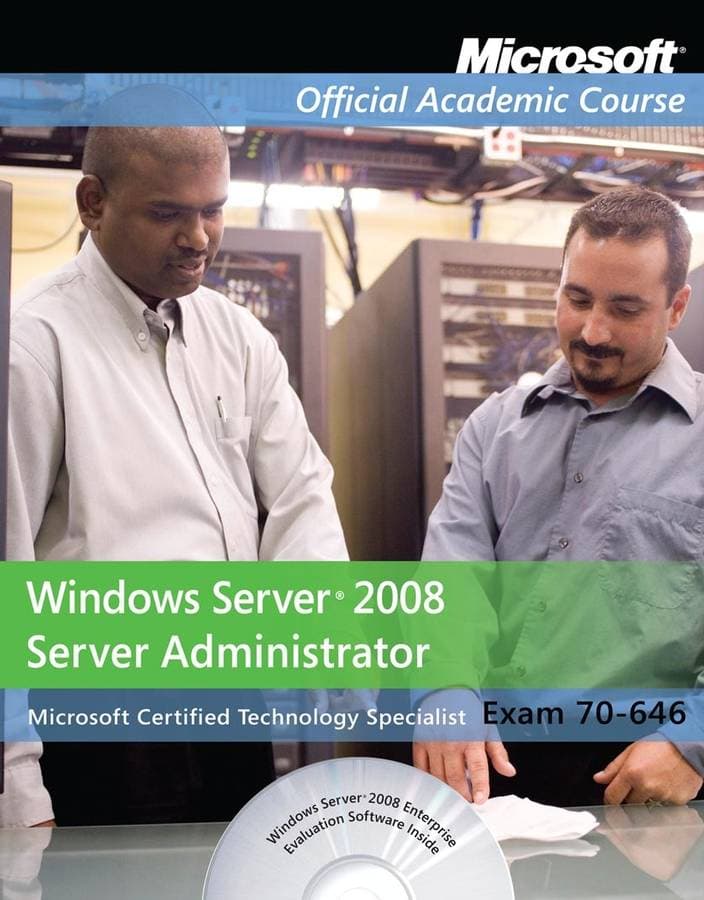
70-646: Windows Server 2008 Administrator - Package — image 1
Computers & Technology

70-646: Windows Server 2008 Administrator - Package

Sold byBooks for Life

SKU: 9780470133293

NZ$81.01
Only 10 left in stock
1

Description

Exam 70-646, Windows Server 2008 Administrator is the newest iteration of the Microsoft Official Academic Course (MOAC) program for network administration courses using Windows Server 2008 and mapping to the Microsoft Certified Information Technology Professional (MCITP) 70-646 certification exam. "The MOAC IT Professional" series is the Official from Microsoft, turn-key Workforce training program that leads to professional certification and was authored for college instructors and college students.MOAC gets instructors ready to teach and students ready for work by delivering essential resources in 5 key areas: instructor readiness, student software, student assessment, instruction resources and learning validation. With the Microsoft Official Academic course program, you are getting instructional support from Microsoft; materials that are current, accurate, and technologically innovative to make course delivery easy.Table of ContentLesson 1: Planning Server Deployments. Selecting a Windows Server 2008 Edition. Introducing Windows Server 2008 Features and Capabilities. Using Server Core. Introducing Server Core. Administering Server Core. Justifying Server Core. Using Server Core for Application Servers. Inventorying Hardware. Installing Microsoft Assessment and Planning Solution. Accelerator. Using Microsoft Assessment and Planning Solution Accelerator. Assessing Windows Server 2008 Readiness. Viewing Assessment Results. Automating Server Deployments. Using Windows Deployment Services. Installing Windows Deployment Services. Configuring the WDS Server. Adding Image Files. Configuring a Custom DHCP Option. Performing a WDS Client Installation. Customizing WDS Client Installations. Creating Image Files with WDS. Creating a Capture Boot Image. Using Answer Files. Using the Windows Automated Installation Kit. Understanding the Deployment Process. Installing the Windows AIK. Creating an Answer File. Creating a Master Installation. Capturing an Image File. Deploying an Image File. Lesson 2: Planning Infrastructure Services. Deploying DHCP Servers. Understanding DHCP Communications. Designing a DHCP Infrastructure. Using a Distributed DHCP Infrastructure. Using a Centralized DHCP Infrastructure. Using a Hybrid DHCP Infrastructure. Regulating DHCP Network Traffic. Planning for Fault Tolerance. Assigning Static IP Addresses. Assigning IPv6 Addresses. Deploying a DHCP Server. Deploying a DHCP Relay Agent. Deploying DNS Servers. Understanding the DNS Architecture. Understanding DNS Naming. Understanding the DNS Domain Hierarchy. Understanding DNS Communications. Understanding DNS Referrals and Queries. Understanding Reverse Name Resolution. Designing a DNS Deployment. Resolving Internet Names. Hosting Internet Domains. Hosting Active Directory Domains. Integrating DHCP and DNS. Separating DNS Services. Creating Internet Domains. Creating Internal Domains. Creating Subdomains. Combining Internal and External Domains. Creating Host Names. Deploying a DNS Server. Creating Zones. Replicating Zone Data. Using Active Directory-Integrated Zones. Lesson 3: Planning an Active Directory Deployment. Introducing Active Directory. Understanding Active Directory Functions. Understanding the Active Directory Architecture. Understanding Objects and Attributes. Understanding Domains. Zooming In: Organizational Units. Zooming In: Groups. Zooming Out: Domain Trees. Zooming Out: Forests. Introducing the Global Catalog. Understanding Functional levels. Understanding Active Directory Communications. Introducing LDAP. Understanding Replication. Using Read-Only Domain Controllers. Expanding Outward: Sites. Designing an Active Directory Infrastructure. Designing the Domain Name Space. Creating Additional Domains. Choosing a Design Paradigm. Designing a Tree Structure. Naming Domains. Creating Additional Trees. Creating Additional Forests. Designing an Internal Domain Structure. Understanding Inheritance. Creating Organizational Units. Creating Group Objects. Creating Users and Computers. Designing a Group Policy Strategy. Deploying Active Directory Domain Services. Installing the Active Directory Domain Services Role. Creating a New Forest. Creating a New Child Domain in a Forest. Adding a Domain Controller to an Existing Domain. Lesson 4: Planning Application Services. Deploying Application Servers. Introducing Application Service Roles. Assigning Multiple Roles. Selecting Application Service Roles. Using the File Services Role. Using the Terminal Services Role. Using the Hyper-V Role. Using the Web Server (IIS) Role. Using the UDDI Services Role. Using the Application Server Role. Using the Print Services Role. Using the Fax Server Role. Using the Streaming Media Services Role. Deploying Applications. Deploying Applications Using Group Policy. Understanding the Limitations. Creating a Software Installation GPO. Deploying Applications Using System Center Tools. Using System Center Essentials 2007. Using System Center Configuration Manager 2007. Using Terminal Services. Understanding the Terminal Services Architecture. Introducing Terminal Server. Introducing Remote Desktop Connection (RDC). Introducing Remote Desktop Protocol (RDP). Planning a Terminal Services Deployment. Identifying the Advantages of Terminal Services. Using Terminal Services in Various Scenarios. Deploying Terminal Services. Selecting Server Hardware. Installing Terminal Services. Installing Applications. Understanding Terminal Services Licensing. Using Virtualization. Understanding Virtualization Architectures. Introducing Hyper-V. Virtualizing Applications. Lesson 5: Planning File and Print Services. Deploying File Servers. Designing a File-Sharing Strategy. Arranging Shares. Controlling Access. Mapping Drives. Creating Folder Shares. Using the Distributed File System. Understanding Namespaces. Replicating Shares. Configuring DFS. Using File Server Resource Manager. Working with Quotas. Creating a File Screen. Generating Storage Reports. Deploying Print and Fax Servers. Understanding the Windows Print Architecture. Understanding Windows Printing. Understanding the Flexibility of Windows Printing. Using the Print Services Role. Using the Print Management Console. Sharing a Printer. Deploying Printers with Group Policy. Deploying a Fax Server. Using the Fax Services Role. Adding the Desktop Experience Feature. Sharing the Fax Printer. Configuring a Fax Device. Configuring Incoming Fax Routing Policies. Configuring Outgoing Fax Routing Policies. Selecting Fax Users. Lesson 6: Planning Storage Solutions. Planning Server Storage. How Many Servers Do I Need? Estimating Storage Requirements. Selecting a Storage Technology. Selecting a Disk Technology. Using External Drive Arrays. Planning for Storage Fault Tolerance. Using Disk Mirroring. Using RAID. Understanding Windows Disk Settings. Selecting a Partition Style. Understanding Disk Types. Understanding Volume Types. Choosing a Volume Size. Understanding File Systems. Working with Disks. Adding a New Disk. Converting a Basic Disk to a Dynamic Disk. Creating a Simple Volume. Creating a Striped, Spanned, Mirrored, or RAID-5 Volume. Extending and Shrinking Volumes. Deploying a Storage Area Network. Understanding SAN Technologies. Using Fibre Channel. Using iSCSI. Using Windows Server 2008 with SANs. Installing iSNS Server. Using iSCSI Initiator. Using Storage Manager for SANs. Using Storage Explorer . Lesson 7: Planning for High Availability. Planning For Data Availability. Backing Up Data. Using Shadow Copies. Using Offline Files. Using Disk Redundancy. Planning for Application Availability. Increasing Applications Availability. Planning for Application Resilience. Enhancing Application Availability Using Group Policy. Enhancing Application Availability Using Windows Installer. Planning for Server Availability. Using Hardware Redundancy. Using Failover Clustering. Understanding Failover Cluster Requirements. Validating a Failover Cluster Configuration. Creating a Failover Cluster. Using Network Load Balancing. Creating an NLB Cluster. Load Balancing Terminal Servers. Using DNS Round Robin. Lesson 8: Planning Server and Network Security. Securing Servers. Physically Securing Servers. Controlling Access. Using Physical Barriers. Using Biometrics. Social Engineering. Controlling the Environment. Wireless Networking. Building a Firewall. Understanding Windows Firewall Settings. Working with Windows Firewall. Using the Windows Firewall Control Panel. Using the Windows Firewall with Advanced Security Console. Using BitLocker. Understanding BitLocker Requirements. Installing BitLocker. Securing Network Access. Understanding Authentication. Storing User Credentials. Understanding Encryption. Network Planning and Authentication. Enhancing Authentication Security with Strong. Passwords. Understanding Kerberos Authentication. Controlling Kerberos Authentication Using Group. Policies. Understanding Authorization. Understanding the Windows Permission Architecture. Understanding Standard and Special Permissions. Allowing and Denying Permissions. Inheriting Permissions. Understanding Effective Permissions. Assigning Standard NTFS Permissions. Assigning Special NTFS Permissions. Understanding Resource Ownership. Lesson 9: Securing Infrastructure Services. Securing Remote Access. Understanding Remote Access Connectivity. Understanding Virtual Private Networking. Choosing a Remote Access Solution. Authenticating Remote Users. Installing Remote Access. Configuring Routing and Remote Access. Configuring Remote Access Authentication. Using Certificates. Understanding Certificates. Understanding Certificate Functions. Understanding Certificate Components. Planning a CA Deployment. Determining the Certificate Life Cycle. Planning CA Validity Periods. Understanding Certificate Revocation. Installing Certification Authorities. Installing an Enterprise Root, CA. Installing an Enterprise Subordinate CA. Creating a CA Hierarchy. Managing Certificate Templa

Specifications

ISBN-13
9780470133293
Author
Microsoft
Publisher
John Wiley and Sons Ltd
Publication Date
2009-01-09
Binding
paperback
Condition
new
Pages
792
Language
english
Country of Origin
United States
Weight (g)
1545
Height (mm)
30
Length (mm)
266
Width (mm)
218
ISBN-10
0470133295

Frequently Asked Questions

Standard shipping to New Zealand typically takes 1–2 business days after dispatch. Express options are available at checkout.

We offer a 30-day return window for most products. Items must be unused, in their original packaging, and accompanied by proof of purchase to qualify for a full refund.

We accept all major credit and debit cards (Visa, Mastercard, American Express), as well as Apple Pay and Google Pay. All transactions are processed securely via Stripe and charged in NZD.

Yes — we never store your card details. All payments are handled by Stripe, a PCI-DSS Level 1 certified payment processor, using industry-standard TLS encryption.

Some products can be backordered — you will see a note on the product page if this is the case. We will ship as soon as stock arrives and keep you updated via email.

Once your order is dispatched you will receive a shipping confirmation email containing your tracking number and a link to track your parcel in real time.
Customer Reviews

More in Computers & Technology

See all →

More from Books for Life

See all →