Description
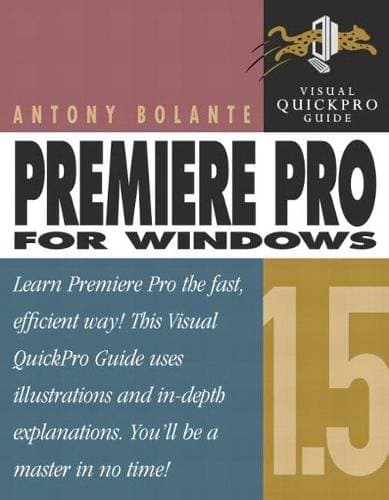
You saw it at the NAB (National Association of Broadcasters) convention; now you need it on your desktop! Here to make sure you start taking advantage of Premiere Pro 1.5's advanced features immediately is a task-based guide that guarantees success-without forcing you to miss a step in your own busy production schedule! Employing the same task-based, step-by-step instructions and strong visual approach that the wildly popular Visual QuickStart series adopts, this handy guide promises to have you editing full-length videos, complete with titles, transitions, and special effects, in record time. As noted video maker Anthony Bolante takes you through your advanced Premiere Pro paces, you'll also learn about all that's new in the latest edition: project-ready Photoshop files, Project Manager (for sharing and transferring projects), Bezier keyframe controls (for creating smoother, more natural motion), Effects Favorites (for saving effect parameters), support for HD content, support for AAF and EDL files, automatic color adjustment, and more.You saw it at the NAB (National Association of Broadcasters) convention; now you need it on your desktop! Here to make sure you start taking advantage of Premiere Pro 1.5's advanced features immediately is a task-based guide that guarantees success-without forcing you to miss a step in your own busy production schedule! Employing the same task-based, step-by-step instructions and strong visual approach that the wildly popular Visual QuickStart series adopts, this handy guide promises to have you editing full-length videos, complete with titles, transitions, and special effects, in record time. As noted video maker Anthony Bolante takes you through your advanced Premiere Pro paces, you'll also learn about all that's new in the latest edition: project-ready Photoshop files, Project Manager (for sharing and transferring projects), Bezier keyframe controls (for creating smoother, more natural motion), Effects Favorites (for saving effect parameters), support for HD content, support for AAF and EDL files, automatic color adjustment, and more.You saw it at the NAB (National Association of Broadcasters) convention; now you need it on your desktop! Here to make sure you start taking advantage of Premiere Pro 1.5's advanced features immediately is a task-based guide that guarantees success-without forcing you to miss a step in your own busy production schedule! Employing the same task-based, step-by-step instructions and strong visual approach that the wildly popular Visual QuickStart series adopts, this handy guide promises to have you editing full-length videos, complete with titles, transitions, and special effects, in record time. As noted video maker Anthony Bolante takes you through your advanced Premiere Pro paces, you'll also learn about all that's new in the latest edition: project-ready Photoshop files, Project Manager (for sharing and transferring projects), Bezier keyframe controls (for creating smoother, more natural motion), Effects Favorites (for saving effect parameters), support for HD content, support for AAF and EDL files, automatic color adjustment, and more. The surest way for video editing pros to get up to speed on Premiere Pro 1.5 without falling behind on their own productions! High-definition video is where it's at these days in the world of broadcast and film--and Premiere Pro 1.5 is bringing it within reach of even the smallest post-production houses! Popular task-based format makes quick work of Premiere Pro 1.5's many new features: project-ready Photoshop files, Bezier keyframe controls, support for HD content, and more. Author Antony Bolante is a well-known teacher and Premiere expert.