Experal logo
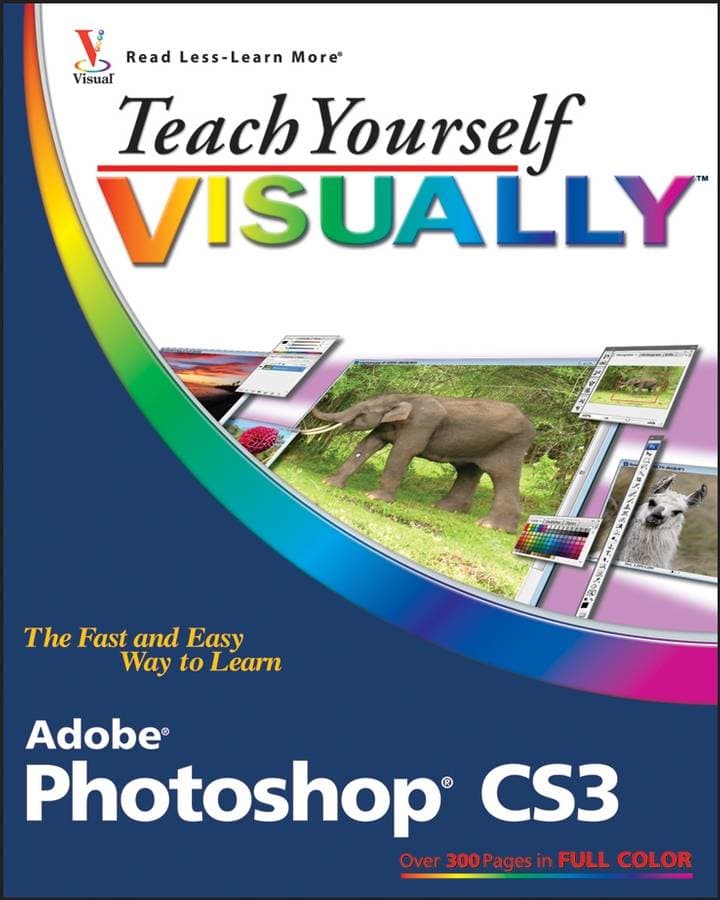
Teach Yourself VISUALLY Adobe Photoshop CS3 — image 1
Computers & Technology

Teach Yourself VISUALLY Adobe Photoshop CS3

Sold byBooks for Life

SKU: 9780470114520

$22.39
Only 10 left in stock
1

Description

Are you a visual learner? Do you prefer instructions that show you how to do something – and skip the long–winded explanations? If so, then this book is for you. Open it up and you′ll find clear, step–by–step screen shots that show you how to tackle more than 150 Photoshop CS3 tasks. Each task–based spread includes easy, visual directions for performing necessary operations, including: Finding images and video clips.Changing size and resolution.Using the Quick Selection tool.Adjusting hue and saturation.Applying Smart Filter effects.Creating a contact sheet.Helpful sidebars offer practical tips and tricks.Full–color screen shots demonstrate each task.Succinct explanations walk you through step by step.Two–page lessons break big topics into bite–sized modules. Order your copy today and master Photoshop CS3.Table of ContentChapter 1: Getting Started. Work with Images. Understanding Photoshop. Start Photoshop on a PC. Start Photoshop on a Mac. The Photoshop Workspace. Find Images for Your Projects. Set Preferences. Save a Workspace. Get Help. Open an Image. Browse for an Image in Bridge. Sort and Filter Images in Bridge. Display a Slideshow in Bridge. Create a New Image. Exit Photoshop. Chapter 2: Understanding Photoshop Basics. Magnify with the Zoom Tool. Adjust Views. Change Screen Modes. View Rulers and Guides. Undo Commands. Revert an Image. Chapter 3: Change the Size of an Image. Change the On–Screen Size of an Image. Change the Print Size of an Image. Change the Resolution of an Image. Crop an Image. Crop and Straighten Photos. Trim an Image. Change the Canvas Size of an Image. Chapter 4: Making Selections. Select with the Marquee Tools. Select with the Lasso Tool. Select with the Magnetic Lasso Tool. Select with the Quick Selection Tool. Select with the Magic Wand Tool. Select with the Color Range Command. Select All the Pixels in an Image. Move a Selection Border. Add To or Subtract From Your Selection. Invert a Selection. Grow a Selection. Create Slices. Chapter 5: Manipulate Selections. Move a Selection. Copy and Paste a Selection. Delete a Selection. Rotate a Selection. Scale a Selection. Skew or Distort a Selection. Feather the Border of a Selection. Extract an Object. Create Vanishing Point Planes. Copy between Vanishing Point Planes. Chapter 6: Paint and Draw with Color. Select the Foreground and Background Colors. Select a Web–Safe Color. Select a Color with the Eyedropper Tool. Select a Color with the Swatches Palette. Add a Color to the Swatches Palette. Using the Paintbrush Tool. Change Brush Styles. Create a Custom Brush. Apply a Gradient. Using the Paint Bucket Tool. Fill a Selection. Stroke a Selection. Using the Clone Stamp. Using the Pattern Stamp. Using the Healing Brush. Using the Patch Tool. Using the History Brush. Using the Eraser. Replace a Color. Fix Red Eye in a Photo. Chapter 7: Adjust Colors. Change Brightness and Contrast. Using the Dodge and Burn Tools. Using the Blur and Sharpen Tools. Adjust Levels. Adjust Hue and Saturation. Using the Sponge Tool. Adjust Color Balance. Using the Variations Command. Match Colors between Images. Correct Shadows and Highlights. Create a Duotone. Chapter 8: Work with Layers. What Are Layers? Create and Add to a Layer. Hide a Layer. Move a Layer. Duplicate a Layer. Delete a Layer. Reorder Layers. Change the Opacity of a Layer. Merge and Flatten Layers. Rename a Layer. Transform a Layer. Create a Solid Fill Layer. Create an Adjustment Layer. Edit an Adjustment Layer. Link Layers. Blend Layers. Work with Smart Objects. Chapter 9: Apply Layer Styles. Apply a Drop Shadow. Apply an Outer Glow. Apply Beveling and Embossing. Apply Multiple Styles to a Layer. Edit a Layer Style. Using the Styles Palette. Chapter 10: Apply Filters. Turn an Image into a Painting. Blur an Image. Sharpen an Image. Distort an Image. Add Noise to an Image. Turn an Image into Shapes. Turn an Image into a Charcoal Sketch. Apply Glowing Edges to an Image. Add Texture to an Image. Offset an Image. Using the Liquify Filter. Apply Multiple Filters. Generate a Pattern. Using Smart Filters. Chapter 11: Draw Shapes. Draw a Shape. Draw a Custom Shape. Draw a Straight Line. Draw a Shape with the Pen. Edit a Shape. Chapter 12: Add and Manipulate Type. Add Type to an Image. Add Type in a Bounding Box. Change the Formatting of Type. Change the Color of Type. Apply a Style to Type. Warp Type. Chapter 13: Automate Your Work. Record an Action. Play an Action. Batch Process by Using an Action. Create a Contact Sheet. Create a Picture Package. Create a Web Photo Gallery. Create a Panoramic Image. Convert File Types. Using Tool Presets. Chapter 14: Save Images. Save in the Photoshop Format. Save an Image for Use in Another Application. Save a JPEG for the Web. Save a GIF for the Web. Save a PNG for the Web. Add Descriptive and Copyright Information. Save a Sliced Image. Chapter 15: Print Images. Print on a PC. Print on a Mac.Biographical NoteMike Wooldridge is an amateur photographer and user–interface designer. This is his seventeenth book in the Visual series. Linda Wooldridge is a former senior editor at Macworld. This is her fourth book in the Visual series.Are you a visual learner? Do you prefer instructions that show you how to do something — and skip the long–winded explanations? If so, then this book is for you. Open it up and you′ll find clear, step–by–step screen shots that show you how to tackle more than 150 Photoshop CS3 tasks. Each task–based spread includes easy, visual directions for performing necessary operations, including: Finding images and video clips Changing size and resolution Using the Quick Selection tool Adjusting hue and saturation Applying Smart Filter effects Creating a contact sheet Helpful sidebars offer practical tips and tricks Full–color screen shots demonstrate each task Succinct explanations walk you through step by step Two–page lessons break big topics into bite–sized modules

Specifications

ISBN-13
9780470114520
Author
Linda Wooldridge
Publisher
John Wiley and Sons Ltd
Publication Date
2007-06-01
Binding
paperback
Condition
new
Pages
320
Language
english
Country of Origin
United States
Weight (g)
742
Height (mm)
16
Length (mm)
231
Width (mm)
187
ISBN-10
0470114525

Frequently Asked Questions

Standard shipping to United States typically takes 1–2 business days after dispatch. Express options are available at checkout.

We offer a 30-day return window for most products. Items must be unused, in their original packaging, and accompanied by proof of purchase to qualify for a full refund.

We accept all major credit and debit cards (Visa, Mastercard, American Express), as well as Apple Pay and Google Pay. All transactions are processed securely via Stripe and charged in USD.

Yes — we never store your card details. All payments are handled by Stripe, a PCI-DSS Level 1 certified payment processor, using industry-standard TLS encryption.

Some products can be backordered — you will see a note on the product page if this is the case. We will ship as soon as stock arrives and keep you updated via email.

Once your order is dispatched you will receive a shipping confirmation email containing your tracking number and a link to track your parcel in real time.


Customer Reviews

More in Computers & Technology

See all →

More from Books for Life

See all →